How to restore deleted tasks in Uku
Deleted tasks can be recovered using the Audit Log. How far back you can go depends on your plan: Team plan users can restore tasks deleted on the current day, while Elite plan users can restore tasks from up to 100 days ago.
Who can do this
Section titled “Who can do this”- Any team member can access the Audit Log from their profile menu.
- Team plan: Can restore tasks deleted on the current day only.
- Elite plan: Can restore tasks from up to 100 days ago.
How to access the Audit Log
Section titled “How to access the Audit Log”Option 1: From your profile
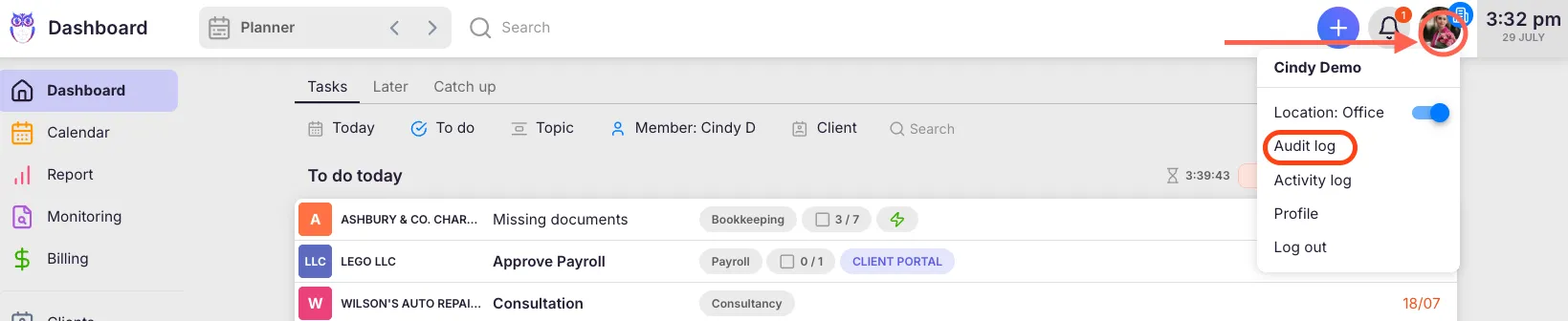
Section titled “Option 1: From your profile”- Click your name in the user menu.
- Select Audit Log from the dropdown.
Option 2: From a client card
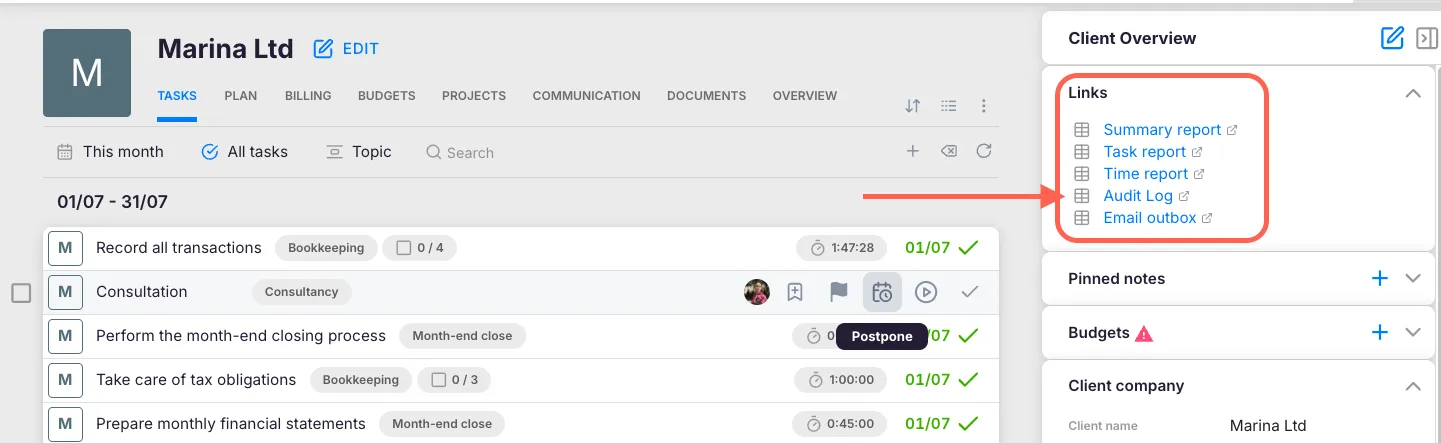
Section titled “Option 2: From a client card”- Open the client card.
- In the Links section of the client card sidebar, click Audit Log. Uku automatically opens the Audit Log filtered to that client.
Option 3: From a task
Section titled “Option 3: From a task”- Open the task you want to check.
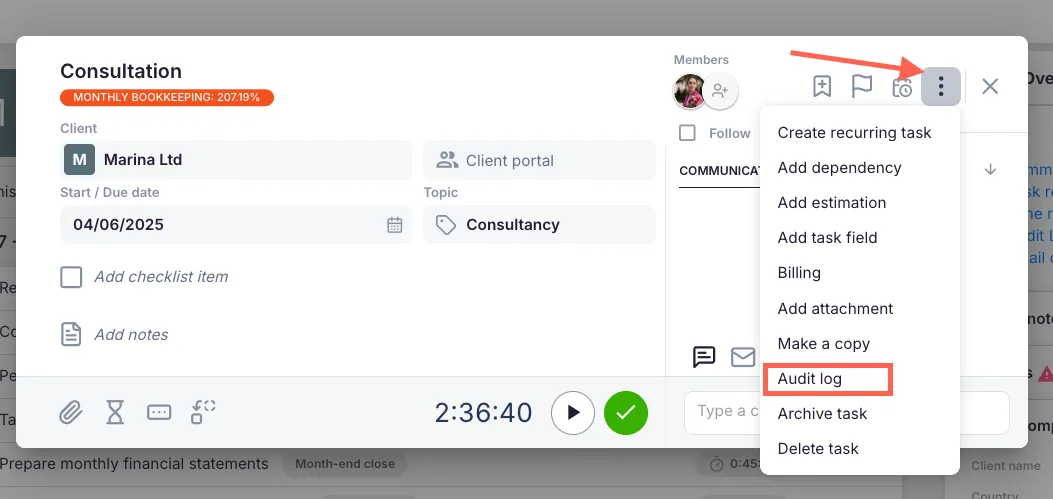
- Click the three-dot menu and select Audit Log.
Restoring tasks on the Team plan
Section titled “Restoring tasks on the Team plan”On the Team plan, you can restore tasks deleted on the current day.
- Open the client card for the client whose task was deleted.
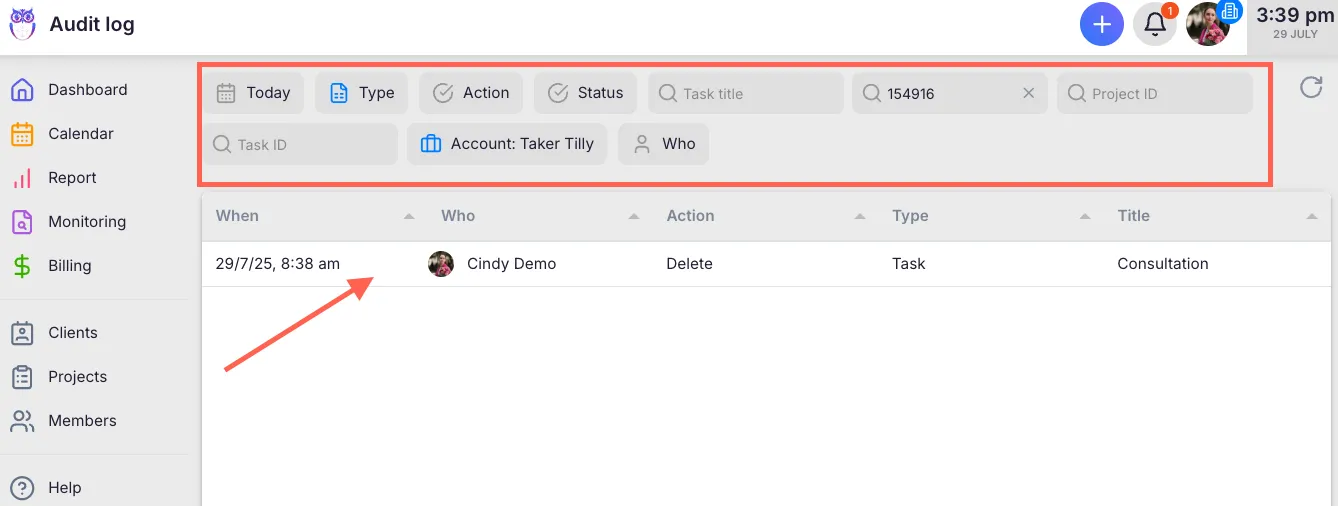
- Click Audit Log in the Links section. Uku opens the Audit Log filtered to that client.
- Find the deleted task in today’s activity list.
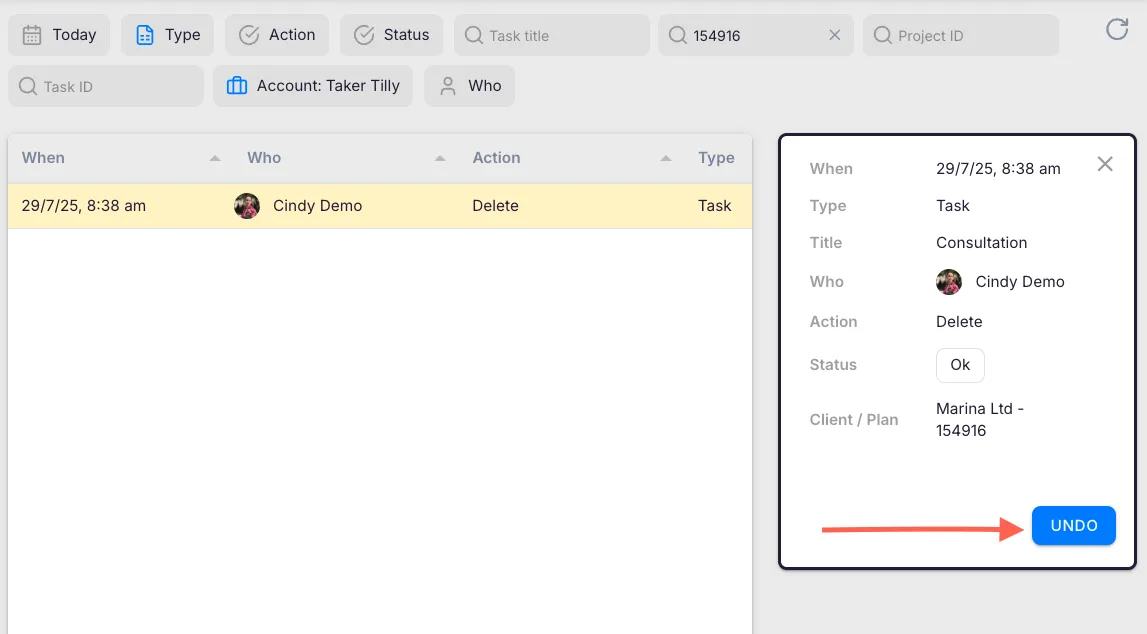
- Click on the task to open its details.
- Click the Undo button to restore the task.
The task is instantly restored.

Restoring tasks on the Elite plan
Section titled “Restoring tasks on the Elite plan”Elite plan users have 100 days of activity history for restoration.
- Access the Audit Log (via your profile, a client card, or a task’s three-dot menu).
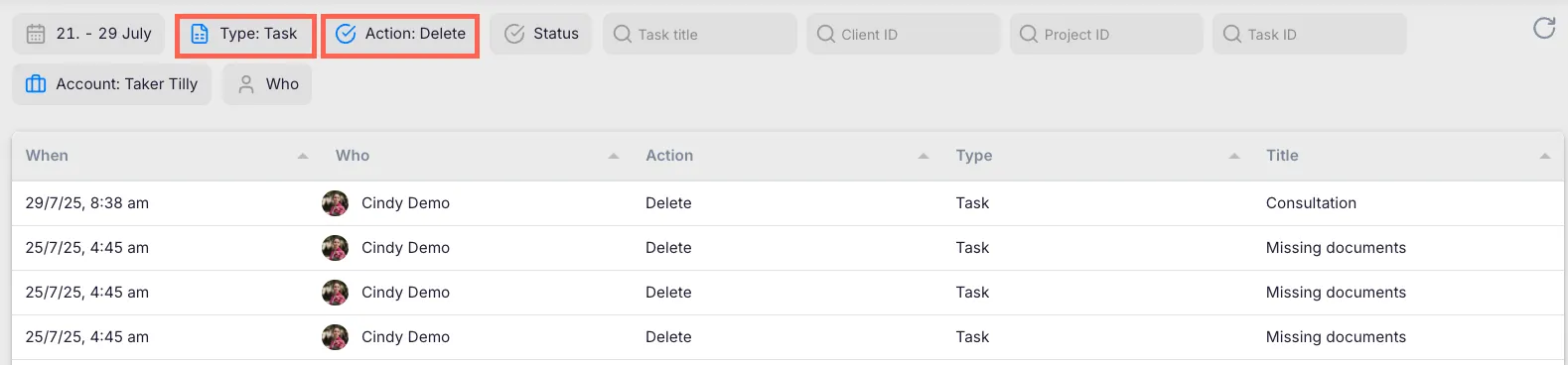
- Use the filters to narrow your search:
- Date filter — Navigate to the date when the task was deleted.
- Type filter — Select “Task activity.”
- Action filter — Choose “Deleted.”
- User filter — Filter by the team member who deleted the task.
- Browse the filtered results to locate the deleted task.
- Click on the task to open its details.
- Click the Undo button to restore the task.
Troubleshooting
Section titled “Troubleshooting”The Undo button is not available
Section titled “The Undo button is not available”On the Team plan, you can only restore tasks deleted on the current day. If the deletion happened yesterday or earlier, the Undo option will not appear. Consider upgrading to the Elite plan for extended restoration.
Cannot find the deleted task in the Audit Log
Section titled “Cannot find the deleted task in the Audit Log”Verify your filters are set correctly. Try broadening the date range or removing other active filters. If the task was deleted by another team member, use the User filter to check their activity.
Restored task is missing some data
Section titled “Restored task is missing some data”In rare cases, certain task details may not be fully restored. Check the task’s fields and re-enter any missing information manually.
Audit Log is empty or not loading
Section titled “Audit Log is empty or not loading”Refresh the page. If the issue persists, check your internet connection or contact Uku support.