What's new — November 2025
New
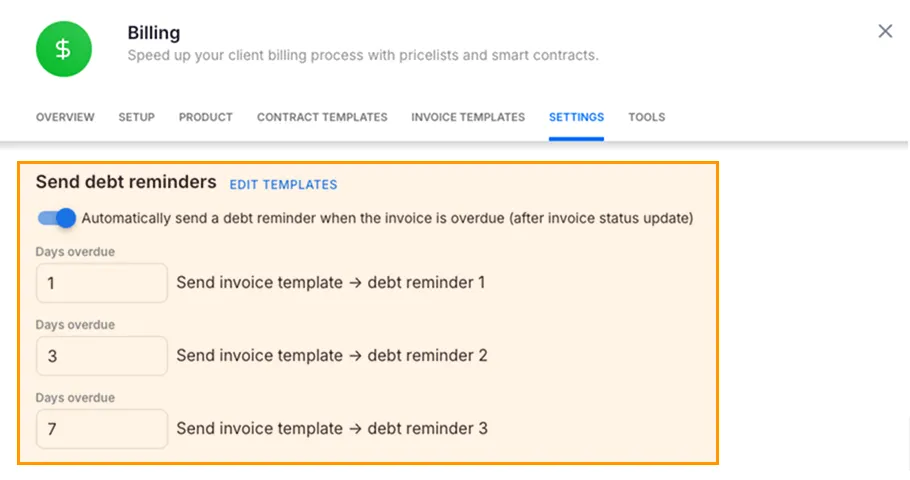
Billing: Automate up to 3 invoice debt reminder emails to reduce DSO
Section titled “Billing: Automate up to 3 invoice debt reminder emails to reduce DSO”- Set reminder schedules in Billing settings, customize email content under Invoice templates, and optionally disable reminders per client; no email is sent if the day count is 0 or empty.
- Example: Trigger reminders at 1, 3, and 7 days past due to speed collections without manual follow-up and cut admin time.
Billing: Personalize reminder emails with invoice placeholders
Section titled “Billing: Personalize reminder emails with invoice placeholders”- Use ###{{client_name}}, ###{{seller_name}}, ###{{invoice_number}}, ###{{invoice_date}}, ###{{due_date}}, ###{{overdue_days}} in templates to auto-fill critical context and minimize editing.
- Example: Insert client name and overdue days to make actions clear and lift response rates while saving prep time.
Billing: Choose the client’s “Primary member” as the default billing resource
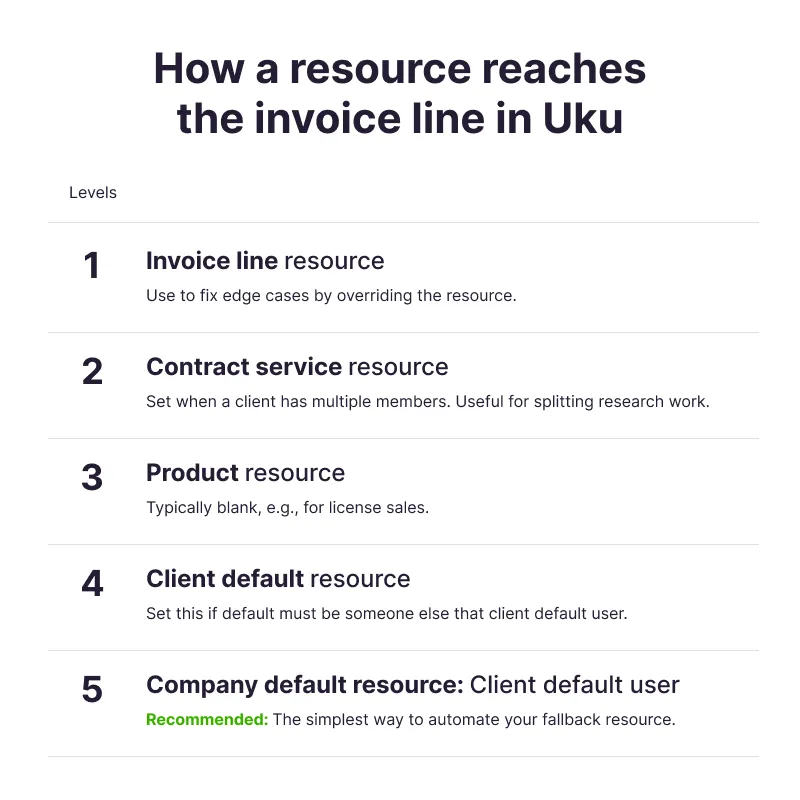
Section titled “Billing: Choose the client’s “Primary member” as the default billing resource”- Uku resolves the billing resource across five levels: 1) Invoice line, 2) Contract service, 3) Product, 4) Client default, 5) Company default; client- and product-level overrides are supported.
- Example: Route consulting hours to the client’s lead accountant by default, while mapping software licenses to a product-level resource for accurate realization and reporting.
Integration: Directo client sync and invoice export
Section titled “Integration: Directo client sync and invoice export”- Import clients and contacts from Directo into Uku, create invoices in Uku, and export them back to Directo; optionally fetch payment status and send reminders for unpaid invoices from Uku.
- Best practice: Track work volumes separately (time, document counts, payroll runs) and invoice from Uku so you can analyze volumes later and refine pricing.
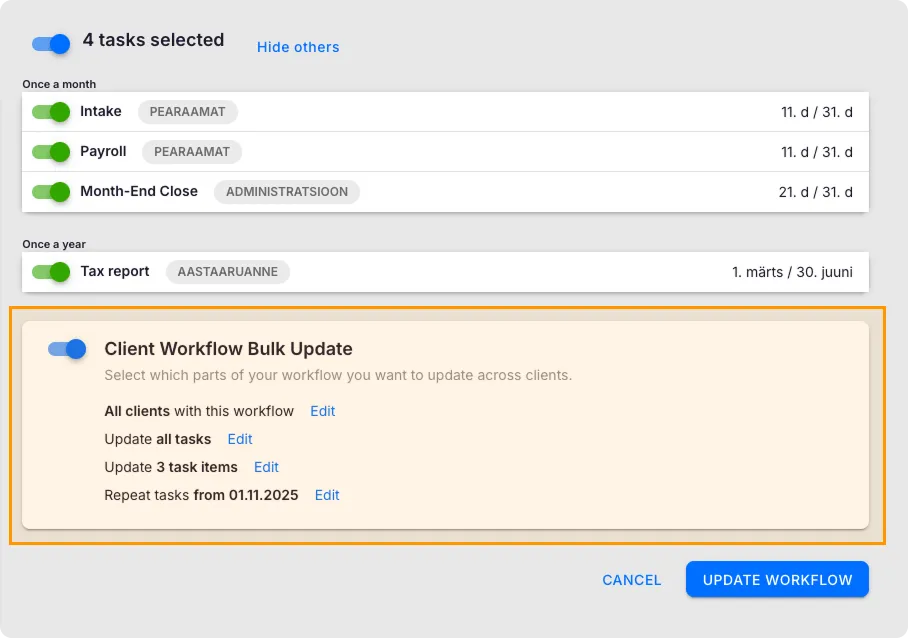
Tasks: Bulk update client workflow from company task templates
Section titled “Tasks: Bulk update client workflow from company task templates”- Select which clients, tasks, and checklist fields to update; client-specific customizations are overwritten and changes are captured in the audit log.
- Example: Roll out updated monthly bookkeeping checklists across the firm after tax season and keep workflows consistent.
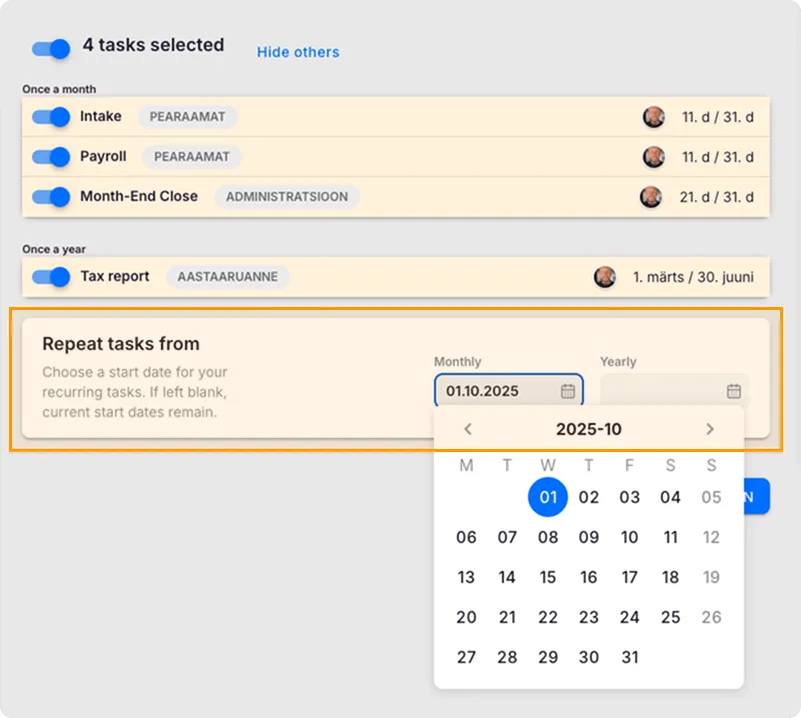
Tasks: Bulk update of start dates in client workflow
Section titled “Tasks: Bulk update of start dates in client workflow”- Set “Repeat tasks from” to a past month to generate tasks into the past; when changing an existing plan, Uku deletes prior New-status tasks and recreates them per the new recurring rules.
- Example: Create 3 months of accounting tasks for a new client to accurately track time and work completed.
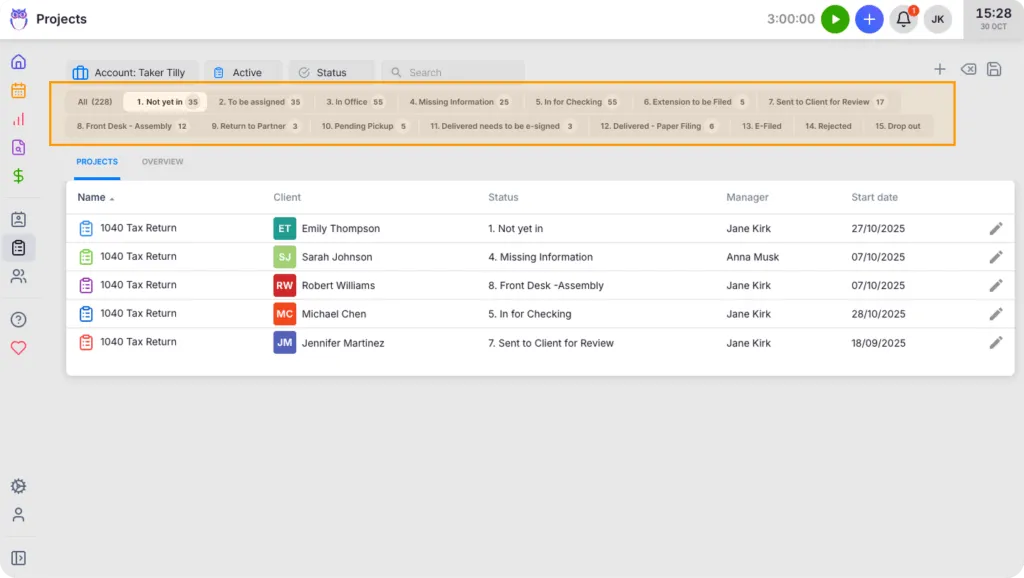
Projects: Track project process statuses at a glance in the list
Section titled “Projects: Track project process statuses at a glance in the list”- See and filter projects by process status to spot bottlenecks and drive progress across engagements.
- Example: Identify Tax Return projects marked “Awaiting approval” and nudge clients to accept the advance invoice.
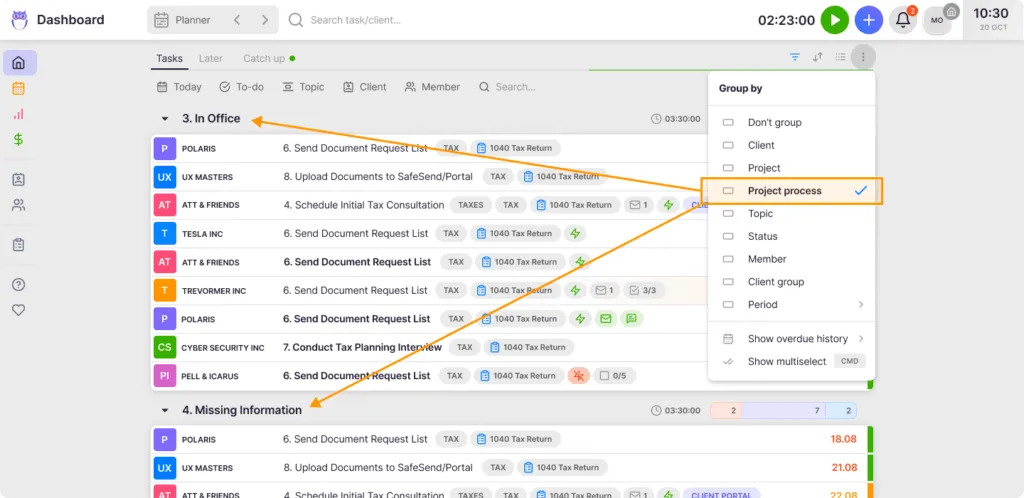
Dashboard: Group project tasks by process status and filter consistently
Section titled “Dashboard: Group project tasks by process status and filter consistently”- Use the same process-status grouping and filters in Dashboard, Client tasks, Project tasks, and Reports for focused work.