Task statuses
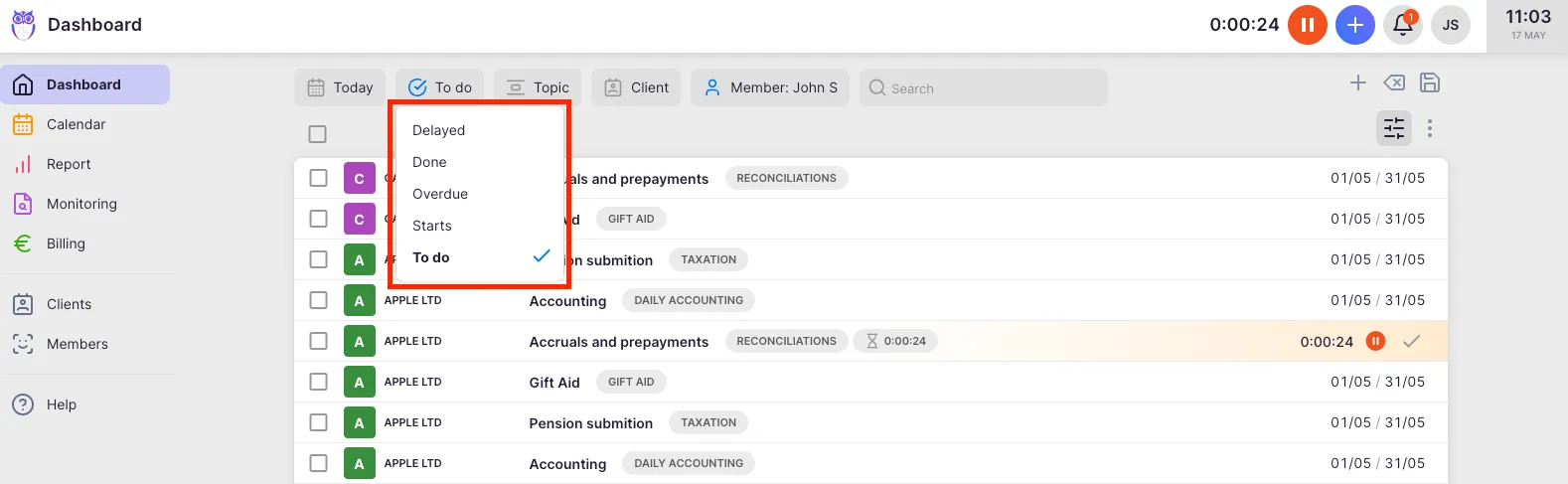
Task statuses help you distinguish between work that is done, still to do, delayed, or set aside. Uku assigns statuses automatically based on dates and actions — you cannot set them manually.
Who can do this
Section titled “Who can do this”- All team members can view and filter by task statuses.
- Statuses are system-generated and update automatically — they cannot be manually overridden.
Status definitions
Section titled “Status definitions”| Status | What it means |
|---|---|
| **Active** | The task is open and its deadline has not yet passed. This is the default state for all new tasks. |
| **Done** | The task has been marked done. If it was completed on or before the due date, it is Done. If completed after the due date, it shows as Overdue. |
| **Delayed** | The task has not been completed and its due date has passed. Also called "overdue active" tasks. |
| **Overdue** | The task was marked done after its due date had already passed. |
| **Later** | The task has been explicitly parked in the Later tab. It is not deleted or archived — it reappears when the return date arrives. |
| **Archived** | The task has been archived and is hidden from active views. Use the Archive filter to find archived tasks. |
How to filter tasks by status
Section titled “How to filter tasks by status”Filtering on the Dashboard
Section titled “Filtering on the Dashboard”- Open the Dashboard.
- Click the Filter icon in the filter bar.
- Select the desired task status to filter the view.
Filtering in Report and Calendar
Section titled “Filtering in Report and Calendar”You can also filter tasks by status in the Report and Calendar views using the same filter logic. Open the filter bar and add a Status filter.
Troubleshooting
Section titled “Troubleshooting”A task shows as “Delayed” but it was completed
Section titled “A task shows as “Delayed” but it was completed”The task was not marked as done in Uku before the deadline passed. Open the task and click Mark done — its status will then change to Overdue (completed after deadline).
Status filter shows no results
Section titled “Status filter shows no results”Verify that the date range selected on the Dashboard includes tasks with the chosen status. Expand the date filter to a wider range.
Cannot manually change a task status
Section titled “Cannot manually change a task status”Statuses are system-managed. To move a task to Done, mark it done. To address a Delayed task, either complete it or update its deadline. To move a task to Later, use the row menu or right-click and select Later.
Screenshots
Section titled “Screenshots”