How to customize the Client Portal navigation menu
This content is not available in your language yet.
The Client Portal is available on all Uku plans. One Elite-plan feature extends it: custom menu links. These let you add items to the client-facing sidebar — links to documents, forms, reports, pricing pages, or any external URL — so clients have a one-stop resource hub without leaving the portal.
Who can do this
Section titled “Who can do this”- Plan required: Elite (the Menu links tab is visible on other plans but changes cannot be saved).
- Role required: Company Admin or Company Owner.
What is the Client Portal menu?
Section titled “What is the Client Portal menu?”Every client who logs into your Client Portal sees a left sidebar with standard items: Dashboard, Documents, and Settings. Below those, your custom menu links appear. Only items with a URL defined are shown to clients — items without a URL are hidden automatically.
Custom links are useful for resources you share with all clients: service agreements, pricing pages, onboarding forms, or financial dashboards. For links that differ per client, you can override the defaults at the client level.
Configure company-wide menu links
Section titled “Configure company-wide menu links”- Go to Settings & Apps in the left navigation.
- Select Client Portal.
- Choose the Menu links tab.
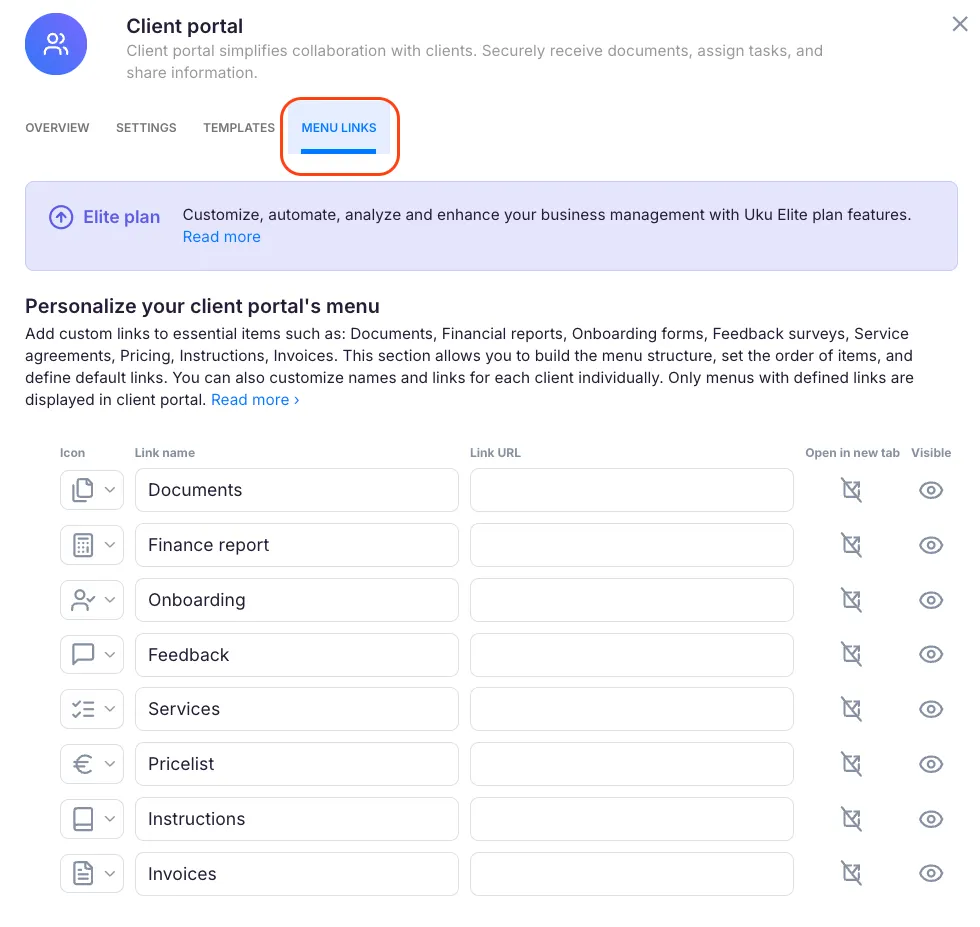
The table lists all configured menu items. For each item you can:
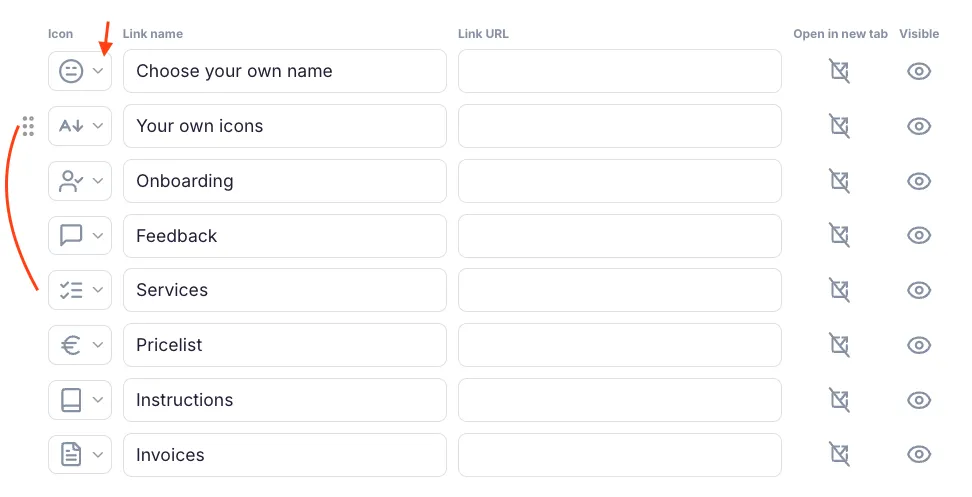
- Set the name — click the name field and type the label shown to clients.
- Set the URL — paste the destination link. Items without a URL are hidden from clients.
- Choose an icon — click the current icon to pick a replacement from the available set (Files, Calculator, UserCheck, MessageSquareText, ListChecks, Euro, Book, FileText).
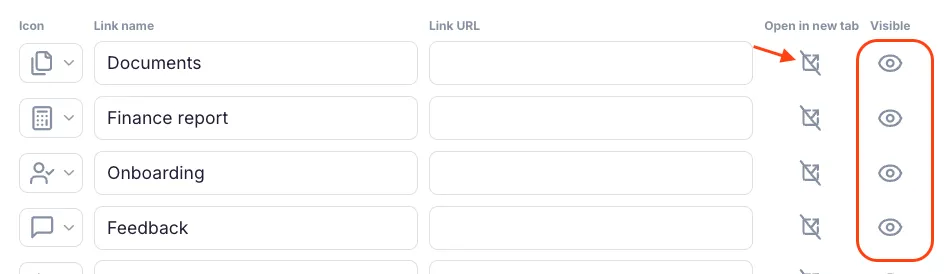
- Open in new window — activate the toggle to open the link in a new browser tab instead of within the portal.
- Show or hide an item — click the visibility icon (eye-shaped) to toggle visibility on or off.
Reordering menu items
Section titled “Reordering menu items”To change the order in which items appear in the sidebar, hover over the drag handle (dots icon) on any row, then drag the row to a new position.
Click Save to apply all changes.
Customize menu links for a specific client
Section titled “Customize menu links for a specific client”If a particular client has a separate document folder, a bespoke onboarding form, or any other client-specific resource, you can override the default links for that client without changing the company-wide defaults.
- Go to Clients in the left navigation.
- Open the client you want to customize.
- Click Edit client.
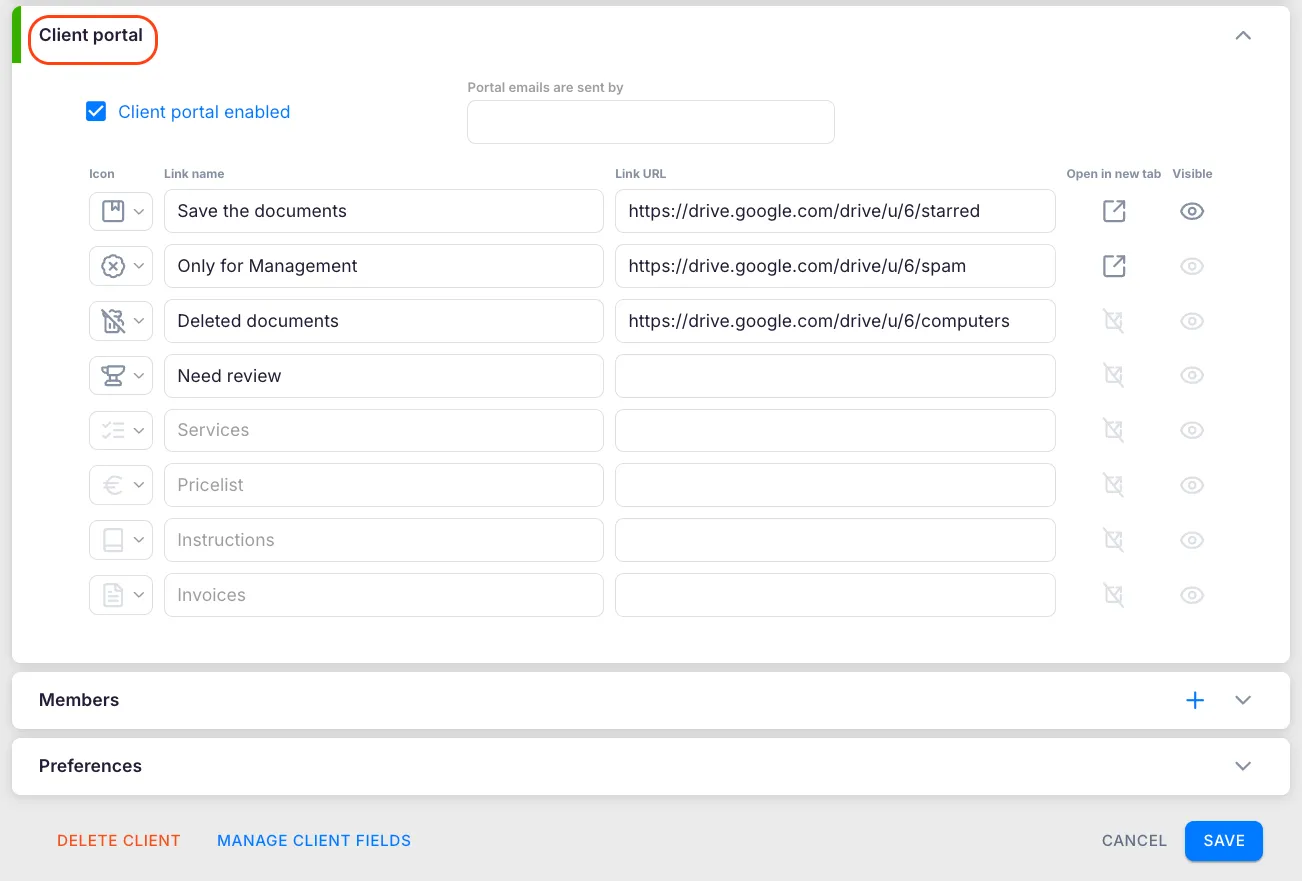
- Find the Client Portal section in the client settings.
- Adjust the icons, names, and URLs for that client’s menu items.
- Click Save.
If you leave a URL empty for a specific client, that item is hidden from that client’s portal regardless of the company-wide setting.
How menu links appear inside Uku
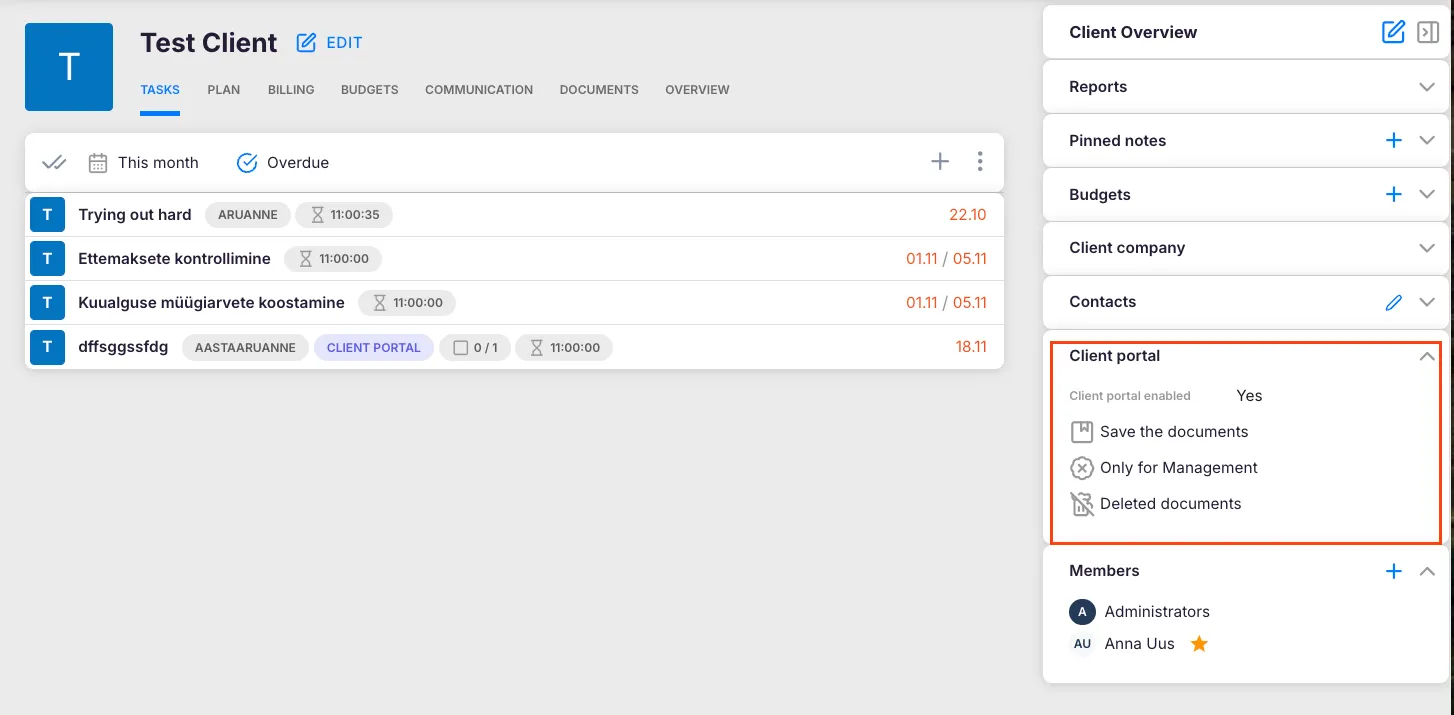
Section titled “How menu links appear inside Uku”Configured menu links (rows with a URL) are also displayed on the client info bar inside Uku. When a team member opens a client record, they can click any filled menu row to open the linked resource directly — useful for quickly accessing a client’s document folder or financial report without opening the portal.
Troubleshooting
Section titled “Troubleshooting”Menu items are not appearing in the Client Portal
Section titled “Menu items are not appearing in the Client Portal”Every item must have a URL to be visible. Open Settings & Apps > Client Portal > Menu links, check that each item you want shown has a URL entered, and save.
Cannot save changes to Menu links
Section titled “Cannot save changes to Menu links”The Menu links tab is visible on all plans but changes can only be saved on the Elite plan. Check your subscription under Settings & Apps > Company. You also need Company Admin or Company Owner role — a Company Member cannot edit these settings.
A client-specific link is not overriding the company-wide link
Section titled “A client-specific link is not overriding the company-wide link”Make sure you clicked Save after editing the client card. Unsaved changes are discarded when you navigate away. Re-open the client, go to Edit client, and confirm the client-specific URL is present and saved.
Links are opening in the same tab instead of a new one
Section titled “Links are opening in the same tab instead of a new one”Find the relevant row in Settings & Apps > Client Portal > Menu links and activate the Open in new window toggle for that row. Save the change.