
What to do when invoices don't appear under the parent company
This content is not available in your language yet.
Who can do this
Section titled “Who can do this”- Company Owners and Company Admins can access client billing settings.
- Company Members with Client Admin permission on the subsidiary and the relevant billing setting enabled.
Check the subsidiary’s contract settings
Section titled “Check the subsidiary’s contract settings”- Open the subsidiary company profile.
- Go to Financials > Contracts.
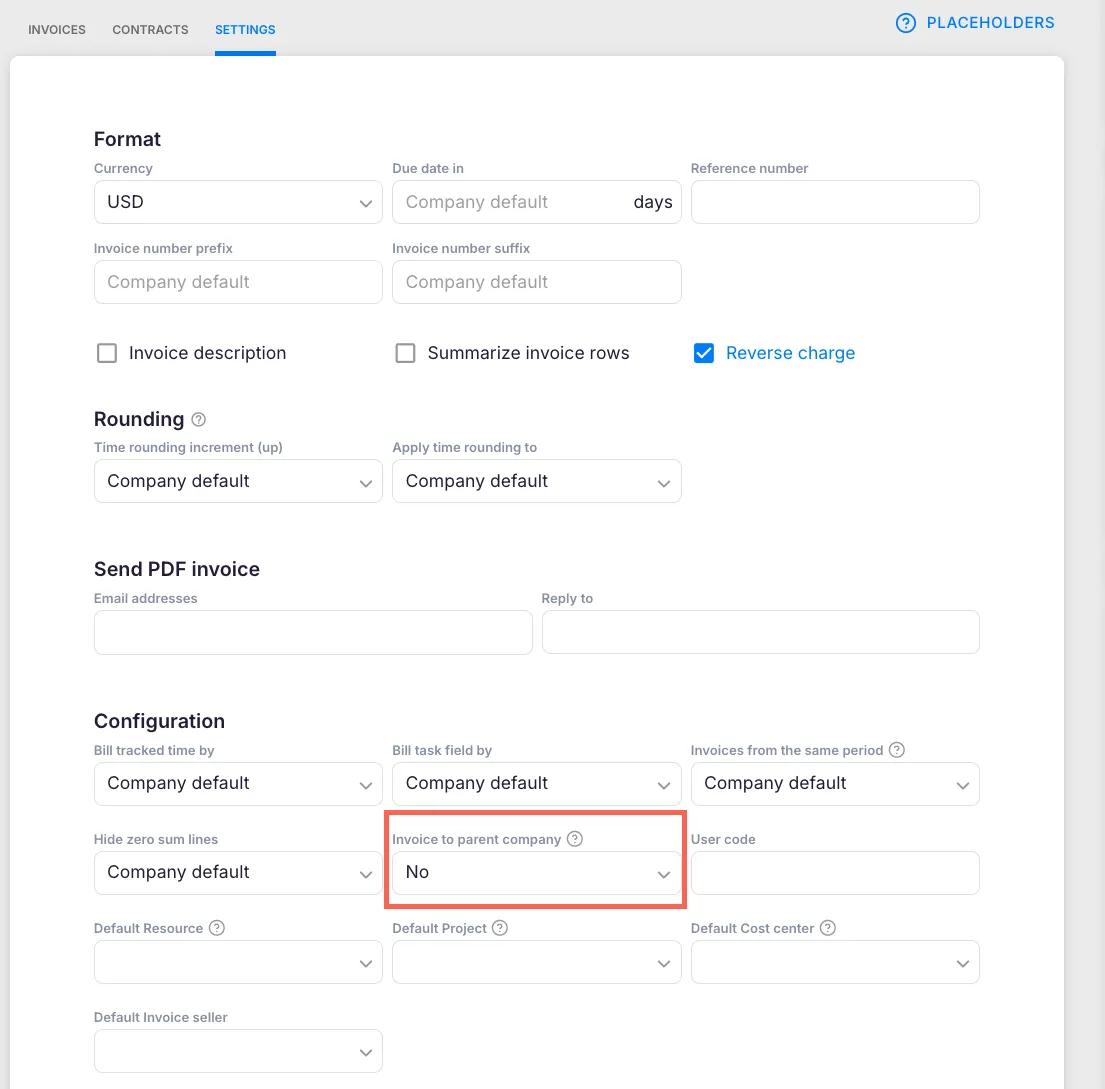
- Open the contract settings and check the Configuration section.
- Verify that Invoice to the parent company is enabled.
Important: The Invoice to parent company setting must be enabled before the invoice creation date. If you enabled it after the invoice was already created, the existing invoice will not be retroactively affected — follow the fix steps below.
Fix invoices created before the setting was enabled
Section titled “Fix invoices created before the setting was enabled”- Open the subsidiary company profile and confirm the Invoice to parent company setting is enabled.
- Click Save to save the contract settings.
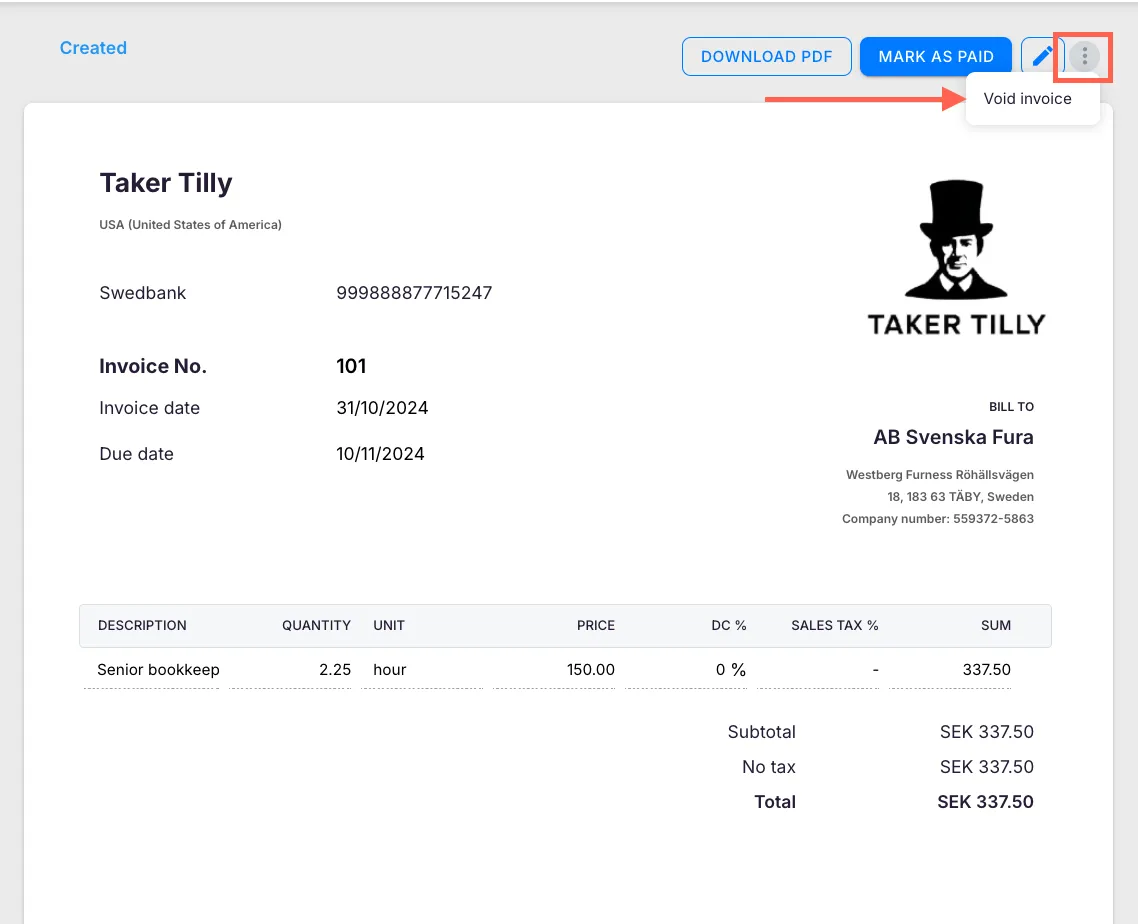
- Open the affected invoice.
- Click the three-dot actions menu and select Void invoice.
- Click the three-dot actions menu again and select Restore invoice.
After voiding and restoring, Uku regenerates the invoice with the updated subsidiary settings applied.
When a product is missing from the parent company invoice
Section titled “When a product is missing from the parent company invoice”If a service added to the subsidiary’s contract after the contract was created does not appear on the parent invoice:
- Open the subsidiary’s contract.
- Verify the product is listed in the contract rows.
- Click Save to re-save the contract.
- Open the parent company invoice, void it, and restore it.
Troubleshooting
Section titled “Troubleshooting”Setting is enabled but invoices still do not appear
Section titled “Setting is enabled but invoices still do not appear”Confirm that you clicked Save after enabling the setting. Then void and restore the parent company invoice to force regeneration.
Only some subsidiary invoices are missing
Section titled “Only some subsidiary invoices are missing”Check each subsidiary individually. The Invoice to parent company setting must be enabled on every subsidiary whose invoices should roll up to the parent.
New product lines are still missing after voiding and restoring
Section titled “New product lines are still missing after voiding and restoring”Open the subsidiary’s contract, confirm the product is listed, re-save the contract, and then void and restore the parent invoice again.
Voided invoice cannot be restored
Section titled “Voided invoice cannot be restored”If the invoice has already been exported to an accounting system, it may need to be handled in the external system first. Contact Uku support for assistance.