
How to keep your Dashboard clean
This content is not available in your language yet.
Over time, completed and outdated tasks accumulate on the Dashboard. You can keep it clean by archiving tasks (which hides them from the active view but preserves them for reference) or deleting them permanently.
Who can do this
Section titled “Who can do this”- All Uku team members can archive and delete their own tasks.
- Tasks can only be deleted if they have a single assignee.
Archiving tasks
Section titled “Archiving tasks”Archiving removes tasks from the active Dashboard view but keeps them accessible through filters.
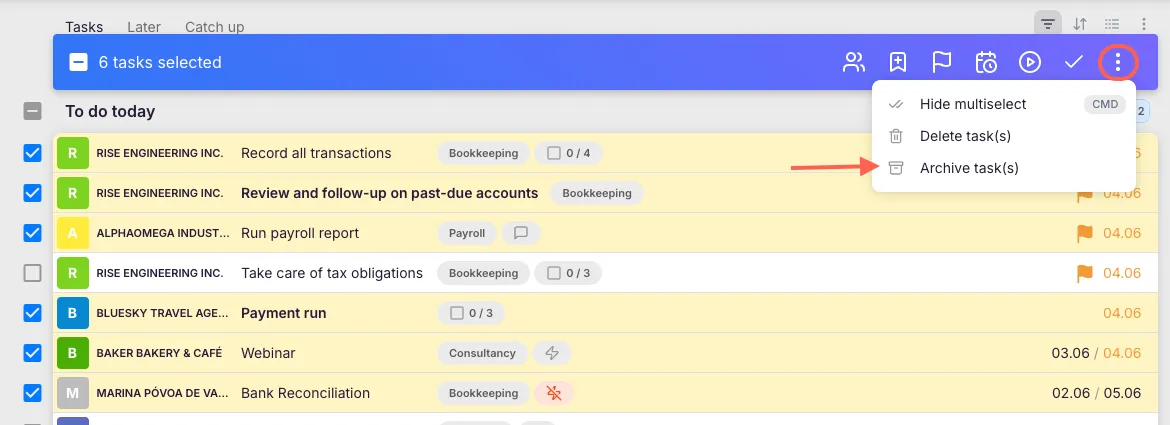
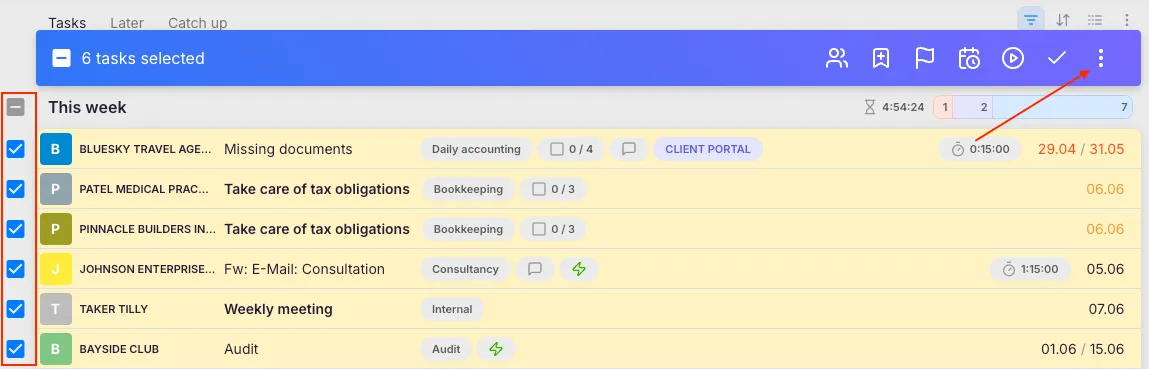
- On the Dashboard, select the tasks you want to archive (hover over rows to reveal checkboxes).
- Click the three-dot menu in the bulk actions bar and choose Archive tasks.
Finding archived tasks
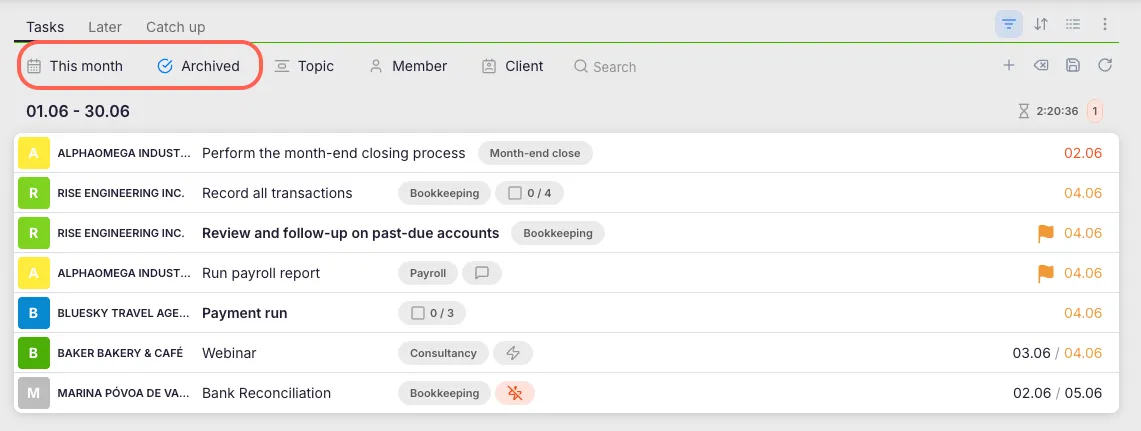
Section titled “Finding archived tasks”- Open the filter options on the Dashboard or in the Report view.
- Set the time period to the relevant date range.
- Set the task status filter to Archived.
Viewing older tasks (history)
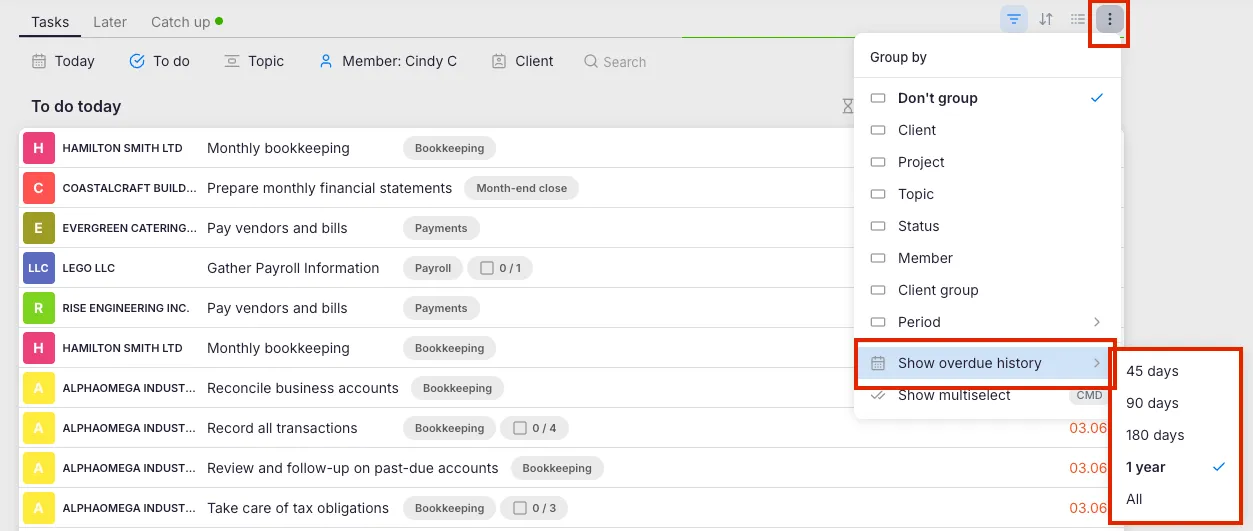
Section titled “Viewing older tasks (history)”- Click the Grouping icon on the Dashboard.
- Select Show history.
- Choose how far back you want to see tasks.
Deleting tasks
Section titled “Deleting tasks”- On the Dashboard, select the tasks you want to remove permanently.
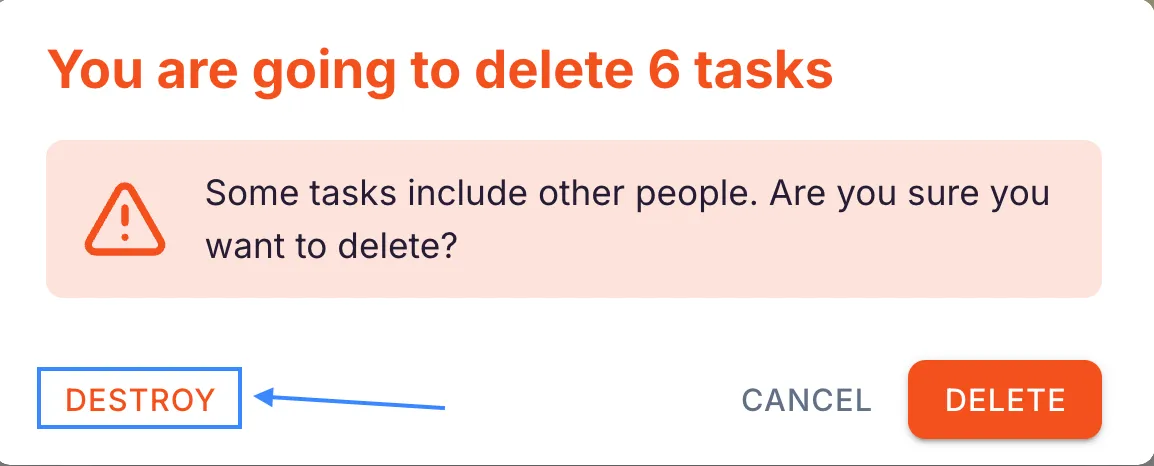
- Click the three-dot menu and choose Delete task.
- A confirmation warning appears. Click Destroy to permanently remove the tasks.
Tasks can only be deleted if there is a single assignee. If a task has multiple assignees, remove the extra assignees first, then delete.
Troubleshooting
Section titled “Troubleshooting”Dashboard is still cluttered after archiving
Section titled “Dashboard is still cluttered after archiving”Refresh the page after archiving. Also check that the task status filter is not set to show archived tasks alongside active ones.
”Delete task” option is not available
Section titled “”Delete task” option is not available”The task likely has multiple assignees. Open the task, remove additional assignees so only one remains, and then try deleting again.
Cannot find a task you archived earlier
Section titled “Cannot find a task you archived earlier”Open the filter options and set the task status to Archived. Also ensure the date range covers the period when the task was active.
Old tasks keep reappearing on the Dashboard
Section titled “Old tasks keep reappearing on the Dashboard”These may be recurring tasks where the current occurrence was not marked as done before the next one was generated. Mark the current occurrence as done or archive it to prevent clutter.